How to delete your account
Step 1: Open the App and Log In
Launch KinJoin on your device and sign in to the account you want to delete. Make sure you're logged into the correct account before continuing.
Step 2: Go to Profile, then Edit
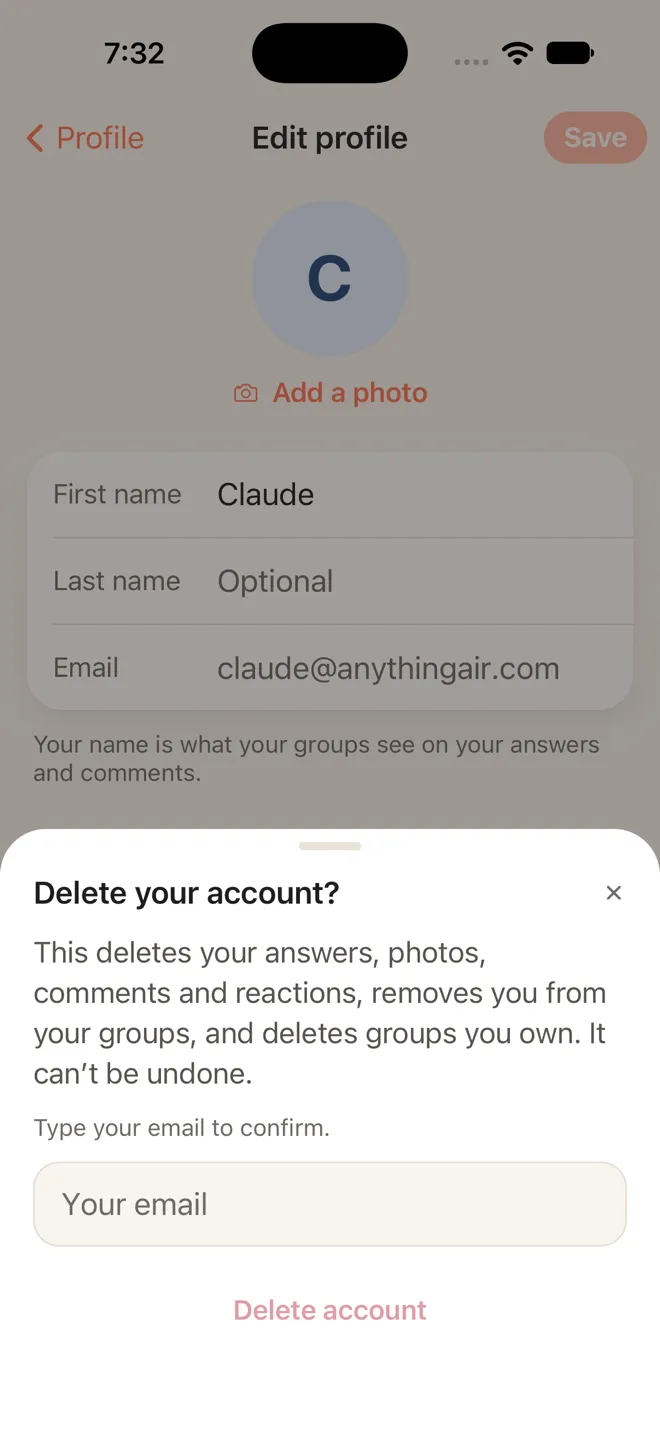
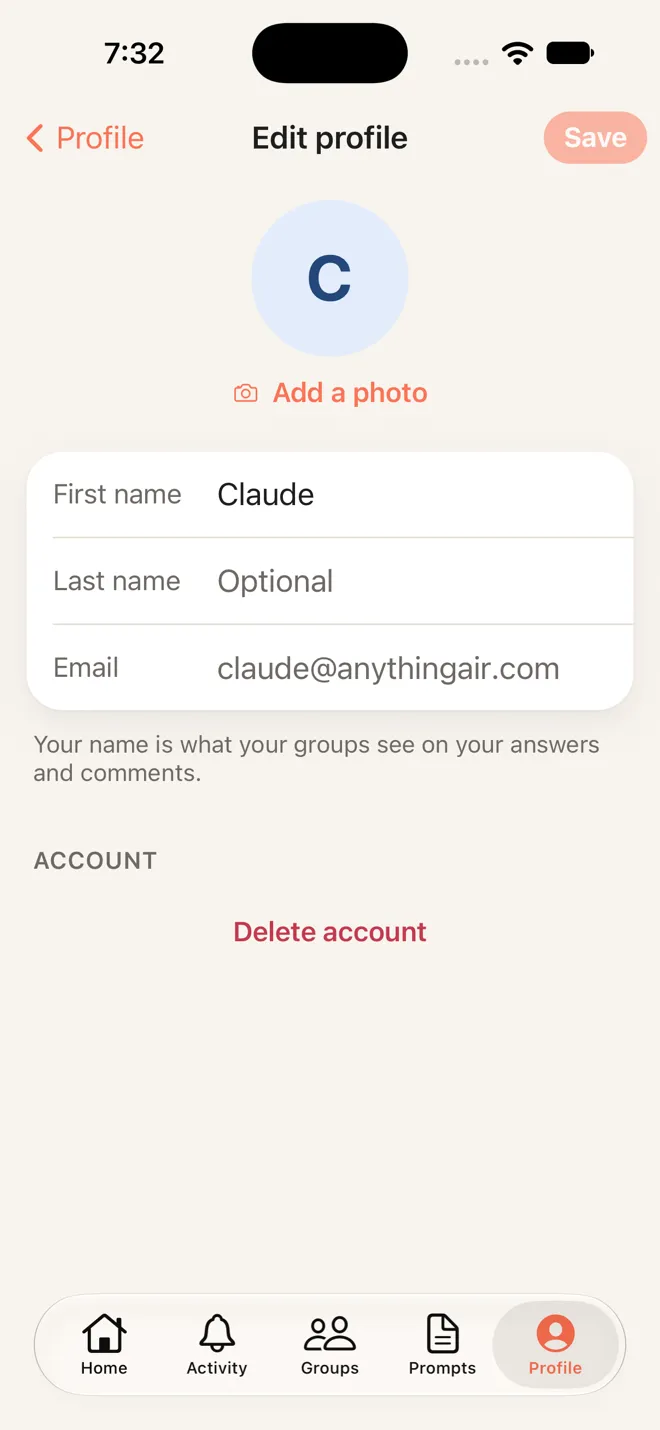
Tap Profile in the tab bar at the bottom of the screen, then tap Edit at the top right. Under Account, tap Delete account. This starts the account deletion process.
Step 3: Confirm with Your Email
A sheet asks you to type your email address. This confirms it's you and that you want to permanently delete all your data. Once you tap Delete account in the sheet, the deletion is immediate and can't be undone.